Sculpting in Blender - Kompletter Einsteiger-Guide
Zusammenfassung
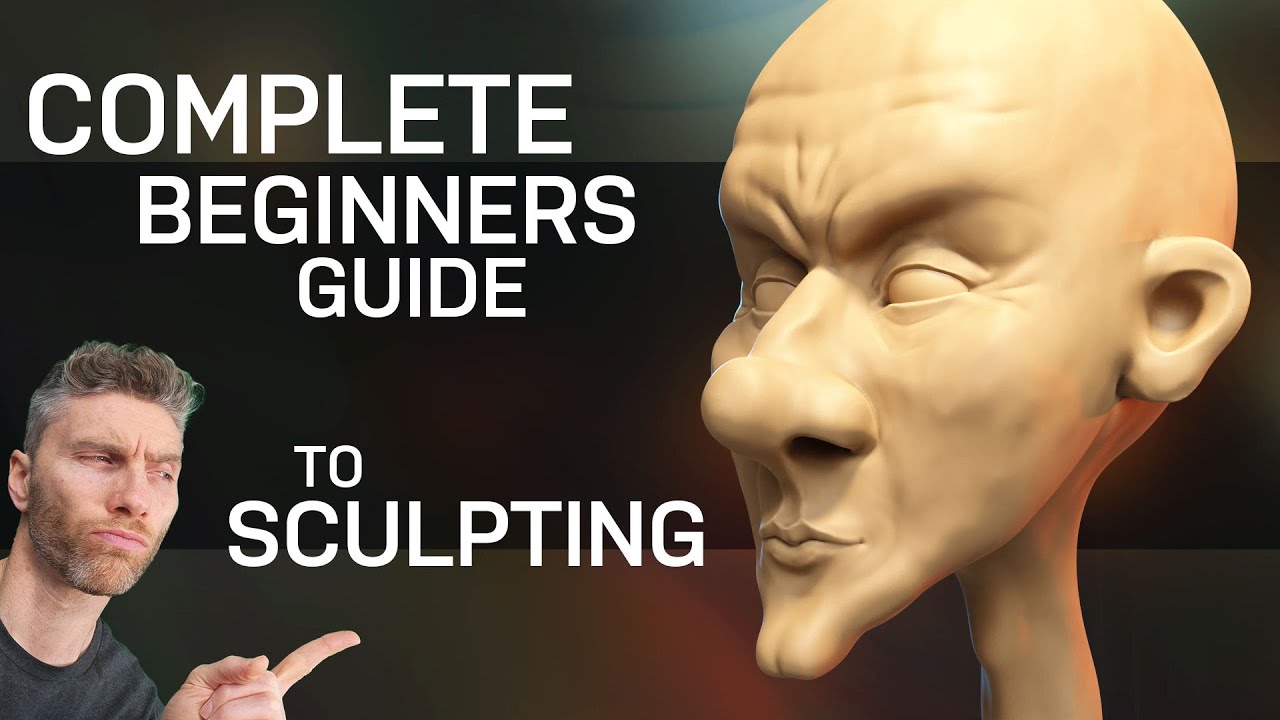
Ein umfassendes Tutorial für Blender-Sculpting von Grund auf. Lernen Sie, wie Sie beeindruckende und spassige Gesichter und Charaktere erstellen - von den ersten Grundformen bis zu detaillierten Features wie Augen, Ohren und Gesichtszügen. Perfekt für Anfänger, die die Sculpting-Tools in Blender meistern möchten.
Intro
Was Sie lernen werden:
Hardware-Empfehlungen
Tablet vs. Mouse:
- NaN:NaNDisplay Tablet für direktes Zeichnen (0:20)
- NaN:NaNBasic Graphics Tablet alternative (0:27)
- NaN:NaNMouse möglich, aber schwieriger (0:31)
- NaN:NaNTablet deutlich einfacher (0:35)
Pen Button Setup
Empfohlene Button-Belegung:
- NaN:NaNButton 1: Middle Mouse Button (0:40)
- NaN:NaNButton 2: Right Click (optional) (0:46)
- Ermöglicht einfache Navigation um Objekte
1. Getting Started
Startup Options
File Options:
- NaN:NaNSculpting Option verfügbar (1:04)
- NaN:NaNDirekter Sculpting Workspace mit Sphere (1:08)
- NaN:NaNNicht für Anfänger empfohlen (1:14)
- NaN:NaNGeneral File verwenden (1:16)
Workspace Configuration
Layout-Optimierung:
Navigation Controls
Mouse Controls:
- NaN:NaNMiddle Mouse: Rotation (1:42)
- NaN:NaNMouse Wheel: Zoom (1:49)
- NaN:NaNPen: Ctrl + Button 1 für Zoom (1:51)
View Navigation:
- NaN:NaNNumpad für Side/Front View (1:58)
- NaN:NaNCartesian Coordinates alternative (2:02)
- NaN:NaNX-Axis für Symmetry wichtig (2:06)
- NaN:NaNPositive Y = Away from us (2:16)
- NaN:NaNShift + Middle Mouse: Strafe (2:23)
Object Preparation
Icosphere Setup:
- NaN:NaNShift + A → Mesh → Icosphere (2:33)
- NaN:NaNDialog Box unten links (2:44)
- NaN:NaNSubdivisions auf 5 erhöhen (2:48)
- NaN:NaNNicht höher gehen (Crash-Gefahr) (2:54)
2. Sculpting
Workspace Setup
Brush Panel Optimization:
- NaN:NaNBrushes Panel erweitern (3:14)
- NaN:NaNDouble Arrow Cursor für Resize (3:17)
- NaN:NaNBrush Namen sichtbar machen (3:22)
Symmetry Setup
Symmetry Configuration:
Basic Sculpting Controls
Essential Shortcuts:
- NaN:NaNF: Brush Size ändern (3:50)
- NaN:NaNShift + F: Strength ändern (3:58)
- NaN:NaNDefault Strength meist ausreichend (4:06)
Creating Basic Head Shape
Head Formation Process:
- NaN:NaNNach unten ziehen für Jaw (4:15)
- NaN:NaNSide View Check (4:20)
- NaN:NaNFace nach vorne bringen (4:24)
- NaN:NaNFront View für Head Shape (4:31)
- NaN:NaNHead-Form anpassen (4:35)
- NaN:NaNRealistische Head-Proportionen (4:42)
3. Remesh
Understanding Stretching
Neck Creation:
- NaN:NaNYellow Dots = Symmetry Points (5:06)
- NaN:NaNMiddle Point für symmetrisches Arbeiten (5:12)
- NaN:NaNNeck nach unten ziehen (5:16)
- NaN:NaNMultiple Passes nötig (5:28)
Remesh Solution
Remesh Location:
Key Parameters:
Voxel Size Preview
Remesh Execution:
- NaN:NaNCtrl + R für Remesh (6:23)
- NaN:NaNStretching reduziert (6:28)
- NaN:NaN0.07 für feineres Mesh (6:35)
4. Remesh Tips
Performance Monitoring
Hardware Guidelines:
- NaN:NaNPowerful Machine: 3+ Million Faces OK (6:57)
- NaN:NaNOlder Machines: Max 500k Faces (7:01)
- NaN:NaNLag = Voxel Size erhöhen (7:09)
Nose Creation Example
Technique Workflow:
- NaN:NaNPoints zusammenbringen für Center (7:28)
- NaN:NaNVerschiedene Winkel versuchen (7:32)
- NaN:NaNNose Bridge anpassen (7:48)
- NaN:NaNEye Sockets beginnen (7:54)
- NaN:NaNStretching → Ctrl + R Remesh (8:10)
Progressive Detail Strategy
Why Low Detail First:
- NaN:NaNSmooth Brush Test (Shift halten) (8:46)
- NaN:NaNShift = Quick Smooth Brush (8:54)
- NaN:NaNSmooth Brush Polygon-abhängig (9:02)
- NaN:NaNEarly Stages: Influential Smooth (9:13)
- NaN:NaNGrosse Polygons für starke Glättung (9:19)
5. Sculpting Bundle
Sculpting Bundle Angebot:
- NaN:NaN3 Top Selling Courses für $29 (10:56)
- NaN:NaNCharacters bis Dragons & Beasts (11:02)
- NaN:NaNRigging & Animation Basics (11:09)
6. Adding Ears
Draw Brush Technique
Ear Creation Process:
- NaN:NaNRound Shape für Ears zeichnen (11:27)
- NaN:NaNBack der Ears erweitern (11:32)
- NaN:NaNFront mit Shift smoothen (11:37)
- NaN:NaNMore Bulk oben hinzufügen (11:45)
- NaN:NaNCtrl + R remesh (11:47)
Reverse Brush (Control)
Control Key Functionality:
Mouth Area
7. Adding Eyes
Mode Switching Method
Layout Workspace Method
3D Cursor Positioning:
UV Sphere for Eyes
Size and Position:
Eye Orientation
Eye Rotation:
- NaN:NaNR → X → 90 für Eye Rotation (13:39)
- NaN:NaNEyeball-like Appearance (13:45)
- NaN:NaNEyelid Setup einfacher (13:51)
Final Eye Positioning
Return to Sculpting
Object Selection in Sculpt Mode:
Object Labeling
Important Notes:
- NaN:NaNOutliner Object Jump nur in Object Mode (15:01)
- NaN:NaNYellow = Active Object (15:11)
- NaN:NaNAlt + Q als Backup (15:17)
8. Mirroring Eyes
Increasing Detail for Eyelids
Eyelid Creation
Eyelid Workflow:
- NaN:NaNChaotic am Anfang normal (15:50)
- NaN:NaNCtrl + R remesh (15:52)
- NaN:NaNShift smooth (15:56)
- NaN:NaNBottom Eyelid genauso (16:02)
- NaN:NaNBasic Eyelids fertig (16:12)
Mirror Modifier for Second Eye
Mirror Modifier Setup:
- NaN:NaNModifiers → Add Modifier (16:38)
- NaN:NaNGenerate → Mirror (16:43)
- NaN:NaNCenter Point Problem (16:47)
- NaN:NaNHead als Mirror Object verwenden (16:52)
- NaN:NaNObject Picker → Head auswählen (17:03)
- NaN:NaNSphere springt zur anderen Seite (17:10)
Back to Sculpting
9. Lips
Nostril Creation
Nostril Technique:
- NaN:NaNNostril-sized Brush (18:36)
- NaN:NaNControl halten für Inwards (18:39)
- NaN:NaNSlowly build up (18:43)
- NaN:NaNShift smooth zwischen Steps (18:46)
Shape Refinement
Lip Definition
Lip Creation Process:
- NaN:NaNTop Lip zeichnen (20:06)
- NaN:NaNBottom Lip hinzufügen (20:14)
- NaN:NaNLip Line mit Control (20:21)
- NaN:NaNMouth Corners definieren (20:26)
- NaN:NaNSmooth für Refinement (20:35)
Advanced Lip Detailing
Detailed Workflow:
- NaN:NaNControl für Lip Separation (21:01)
- NaN:NaNMouth Corner Refinement (21:10)
- NaN:NaNLip Fullness adjustieren (21:23)
Mouth Opening
Mouth Interior:
- NaN:NaNSmall Brush für Details (22:04)
- NaN:NaNMouth Shape mit Grab Brush (22:21)
- NaN:NaNExpression through Mouth Shape (22:36)
Lip Finalization
Final Touches:
10. Ears
Ear Refinement
Ear Detail Process:
- NaN:NaNEar Rim hinzufügen (24:27)
- NaN:NaNInner Ear Structures (24:41)
- NaN:NaNControl für Ear Canal (24:55)
- NaN:NaNEar Lobe Definition (25:08)
Ear Proportions
11. Eyes
Eyelid Enhancement
Eye Detail Workflow:
- NaN:NaNUpper Eyelid Definition (26:29)
- NaN:NaNLower Eyelid Refinement (26:43)
- NaN:NaNEye Corner Details (26:58)
- NaN:NaNTear Duct Area (27:14)
Eye Socket Polish
12. Brows
Brow Ridge Development
Eyebrow Workflow:
- NaN:NaNBrow Ridge Base erstellen (29:03)
- NaN:NaNIndividual Brow Shapes (29:11)
- NaN:NaNExpression through Brows (29:16)
13. Head
Overall Head Refinement
Final Polish:
- NaN:NaNHead Shape Balance (29:54)
- NaN:NaNFeature Harmony Check (30:10)
- NaN:NaNFinal Smooth Pass (30:26)
- NaN:NaNCharacter Personality through Features (30:43)
Project Completion
Wichtige Erkenntnisse
Sculpting Workflow Essentials:
- Hardware Setup: Tablet stark empfohlen, richtige Button-Konfiguration
- Progressive Detail: Niedrige Details lange beibehalten für bessere Kontrolle
- Remesh Strategy: Voxel Size anpassen basierend auf Hardware und Detail-Bedarf
- Symmetry: X-Axis Symmetry für effiziente Character Creation
Essential Shortcuts:
- F: Brush Size
- Shift: Quick Smooth Brush
- Ctrl: Brush Reverse (Push inwards)
- Ctrl + R: Remesh
- R: Voxel Size Preview
- Alt + Q: Object Selection in Sculpt Mode
Professional Techniques:
- Icosphere mit Subdivision 5 als optimaler Start
- Progressive Detail-Erhöhung nur bei Bedarf
- Draw Brush für Additions, Control für Subtractions
- Mirror Modifier für symmetrische Features
- Layout Workspace für Object-Management
Performance Management:
- Statistics Overlay für Face Count Monitoring
- Hardware-angepasste Voxel Sizes
- Remesh bei Polygon-Stretching
- Smooth Brush für Surface Refinement
Character Development Pipeline:
- Basic Head Shape (Grab Brush)
- Major Features (Nose, Eye Sockets, Ears)
- Detail Addition (Eyes, Lips, Nostrils)
- Fine Details (Eyelids, Brows, Ear Details)
- Final Polish (Overall Shape, Expression)
Dieses Tutorial bietet eine komplette Foundation für Character Sculpting in Blender - von den ersten Schritten bis zum fertigen, ausdrucksstarken Gesicht!